Independent design concept. Not an official Tempo website; demos are illustrative.Unofficial design concept. How we know

Three ways to set it up.

The training is the same. What changes is the screen, the storage, the space, and which phone you need.

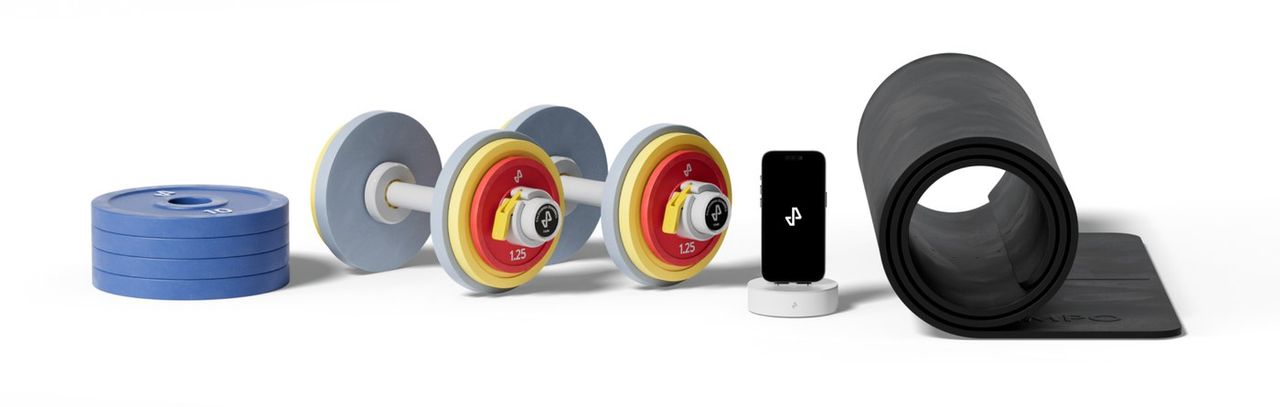
Tempo Core Plus bundle: a stack of plates, two dumbbells with colour-coded plates, the phone dock and a rolled mat.
Shown: Core Plus. Image: Tempo

Flexible

Tempo Core

Tempo weights and a dock that connects your supported iPhone to your TV. No cabinet.

Best for

Smaller spaces, and people who already have somewhere to keep weights.

You’ll need

  • A supported iPhone (model and port matter)
  • A TV or display with HDMI or AirPlay, depending on connection

Sensing

Your supported iPhone’s camera tracks supported exercises.

Storage

None included

Good to know

Android phones and iPad can’t run Core-connected workouts.
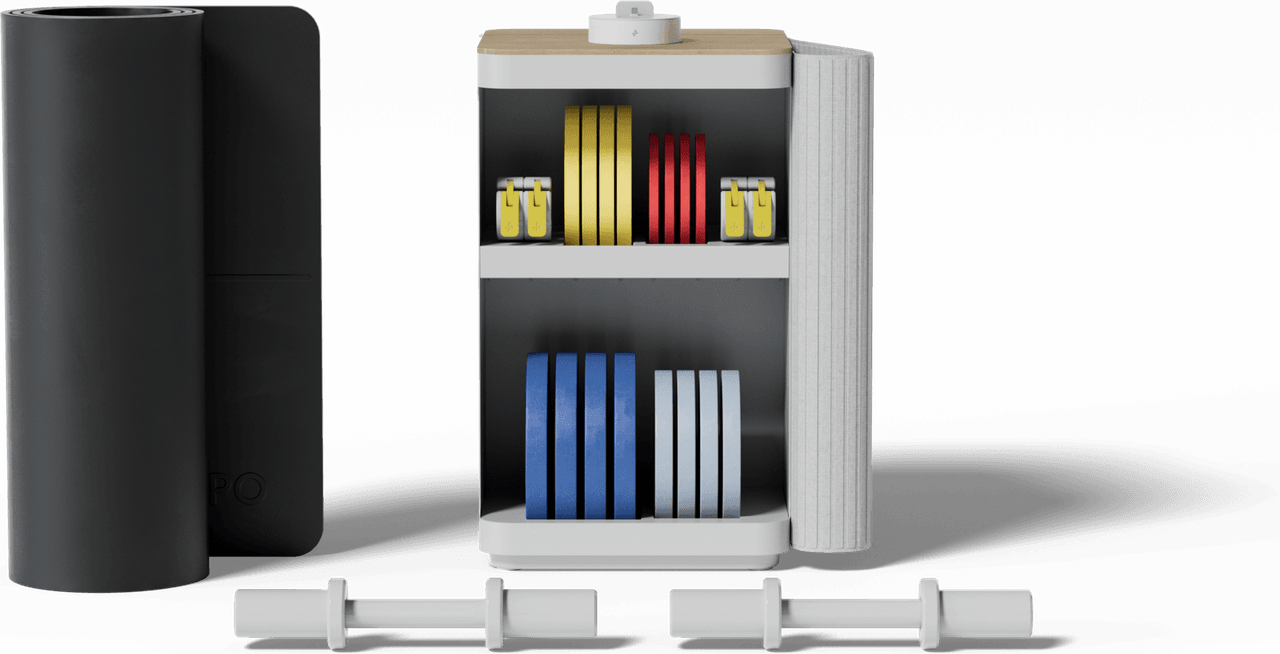
Tempo Move Plus bundle: the storage cabinet, open, with colour-coded plates on its shelves and two dumbbell handles in front.
Shown: Move Plus. Image: Tempo

Organised

Tempo Move

Everything in Core, plus a compact cabinet that keeps the weights in one place.

Best for

Homes where the weights need a tidy place to live.

You’ll need

  • A supported iPhone (model and port matter)
  • A TV or display with HDMI or AirPlay, depending on connection

Sensing

Your supported iPhone’s camera tracks supported exercises.

Storage

Cabinet, 22 × 13.5 × 13.5 in

Good to know

Android phones and iPad can’t run Core-connected workouts.

Move floor plan, to scaleA 6 by 6 foot workout area beside a 13.5 by 13.5 inch cabinet that stands22 inches tall.Workout area6 × 6 ftCabinet1 ft
Cabinet 13.5 × 13.5 in, 22 in tall. Published dimensions, pending confirmation.
Tempo Move in detail
Approved media neededTempo StudioNot in Tempo’s current shop.

All-in-one

Tempo Studio

Availability to confirm

A standalone unit with a 42-inch touchscreen and built-in 3D sensing. No phone or TV needed to train.

Best for

A dedicated training corner with room for a freestanding unit.

You’ll need

  • Floor space for a freestanding unit (dimensions pending confirmation)

Sensing

A built-in 3D (time-of-flight) sensor.

Storage

Varies by bundle

Good to know

Current availability and pricing need confirming; the older Studio store may be out of date.

What you pay, in order.

Hardware and training are separate parts of the price. Here’s how Tempo’s public pages describe them.

  1. Months 1 to 12

    Bundle payments, with membership included1

    Core from $44 a month, Move from $59 a month

    Starter bundles with a 50 lb set. Larger sets cost more.

    Pending confirmation
  2. From month 13

    Training membership2

    $39 a month, or prepaid

    $420 for 12 months or $720 for 24 months, plus tax: that’s $35 or $30 a month.

    Pending confirmation
  3. After 12 payments

    The equipment3

    Is yours to keep

    “Equipment is owned after 12 monthly payments,” says Tempo’s shop. Confirm how this applies to your checkout method.

    Pending confirmation

Prices as shown in Tempo’s shop and membership FAQ on 29 Oct 2026. Not an offer: live prices, taxes, financing and stock come from checkout.

Not sure which?

Five questions about your phone, screen and space, answered with what fits and what to check first.